Official restore LUTs
Natural uses Apple's and DJI's own Log-to-Rec.709 LUTs, matched to your camera model, so the starting point is exactly what the camera maker intended.
 Develop Log
For Apple Log & DJI D-Log M footage
Color grade Log video on iPhone and iPad: the camera maker's official restore LUTs, film looks, DaVinci-style controls, and an AI colorist that grades step by step.


Drag to compare. One frame of D-Log M footage, graded in the app.
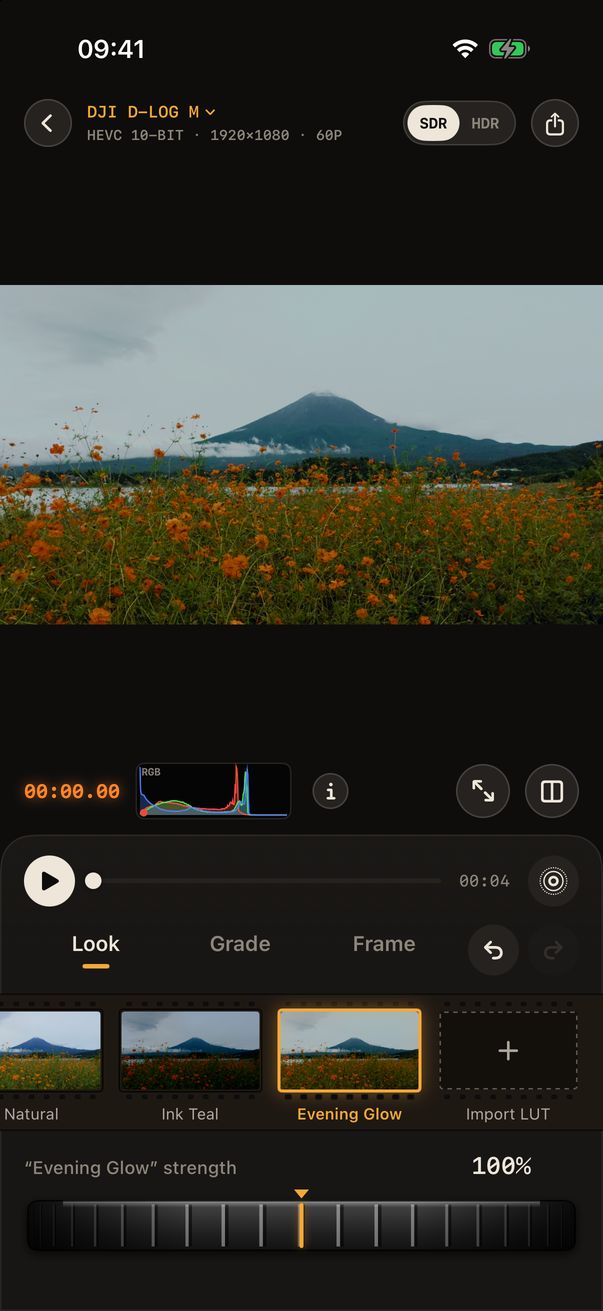
Start from flat Log, restore it with the official LUT, then choose a look. Every adjustment sits under the look, the way colorists work in DaVinci Resolve.
 D-LOG MStraight from the camera
 NaturalThe camera maker's official Rec.709 restore
 Ink TealDeep blacks and cool teal
 Evening GlowWarm gold with matte highlights
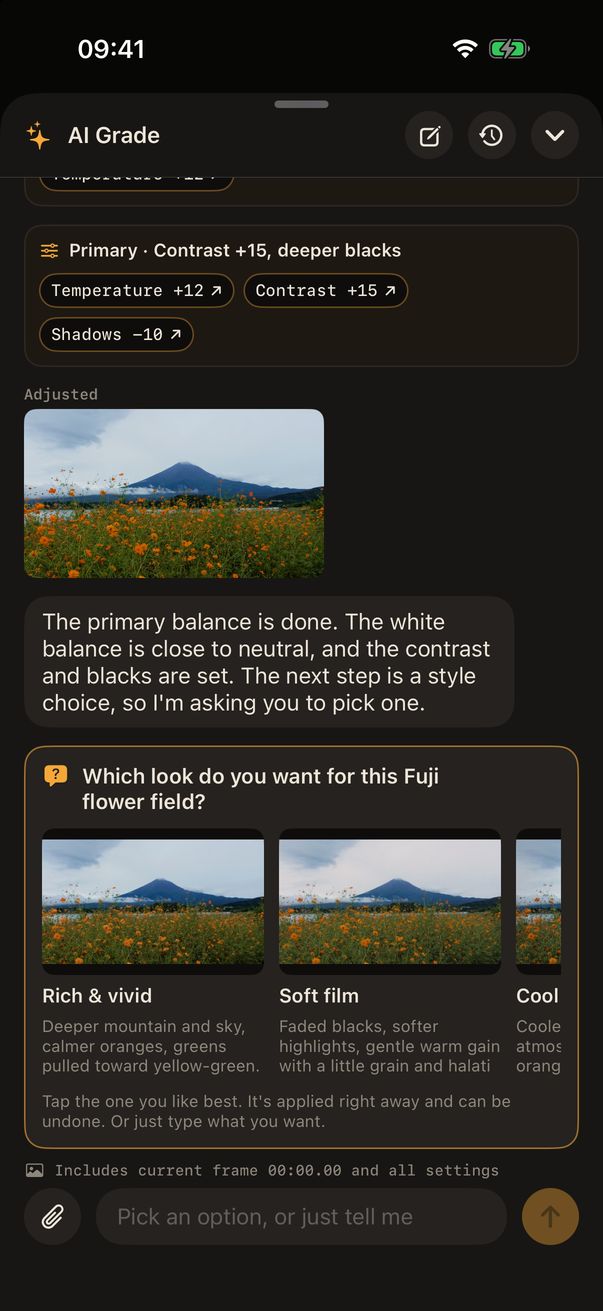
AI Grade
Describe the feel you want, or attach a reference image. AI Grade reads the scopes, then works through the grade the way a professional would, one step at a time.
Powered by Anthropic's Claude. Frames and messages are sent only when you use AI Grade, and only after you agree.
Built for the phone in your hand
Looks on a film strip, one dial per tool, and controls that never cover the frame. On iPhone and iPad, in portrait or landscape.
Natural uses Apple's and DJI's own Log-to-Rec.709 LUTs, matched to your camera model, so the starting point is exactly what the camera maker intended.
Exposure, white balance, contrast and color wheels work in linear light before the look. Blacks stay black and highlights roll off smoothly.
Color Range qualifiers, HSL and automatic subject / background masks fix skin, sky or foliage without touching the rest.
Grain, halation, vignette, sharpening and noise reduction, rendered per frame on the GPU.
Export HEVC 10-bit in SDR Rec.709 or HDR HLG, or save a moment as a Live Photo with an HDR still.
Import .cube LUTs, or save any grade as a look and reuse it on your next clip in one tap.
Formats are recognized automatically from file tags and DJI metadata, and you can always set the format by hand.
Restoring, primary grading, official looks and export are free. Pro unlocks the full toolkit and AI Grade; Max is for people who grade with AI every day.
$0
$9.99/ month
$99.99/ month
Prices in US dollars; your local App Store price may differ. Subscriptions renew monthly until cancelled in Settings › Apple Account › Subscriptions. An AI Top-Up ($9.99) adds allowance that never expires.