
Color grade DJI D-Log M on iPhone: an Osmo Pocket 3 workflow
D-Log M is built to be graded, and you do not need a laptop to do it. This is a complete phone workflow for Osmo Pocket 3 footage, from the gray log clip to a finished 10-bit video.
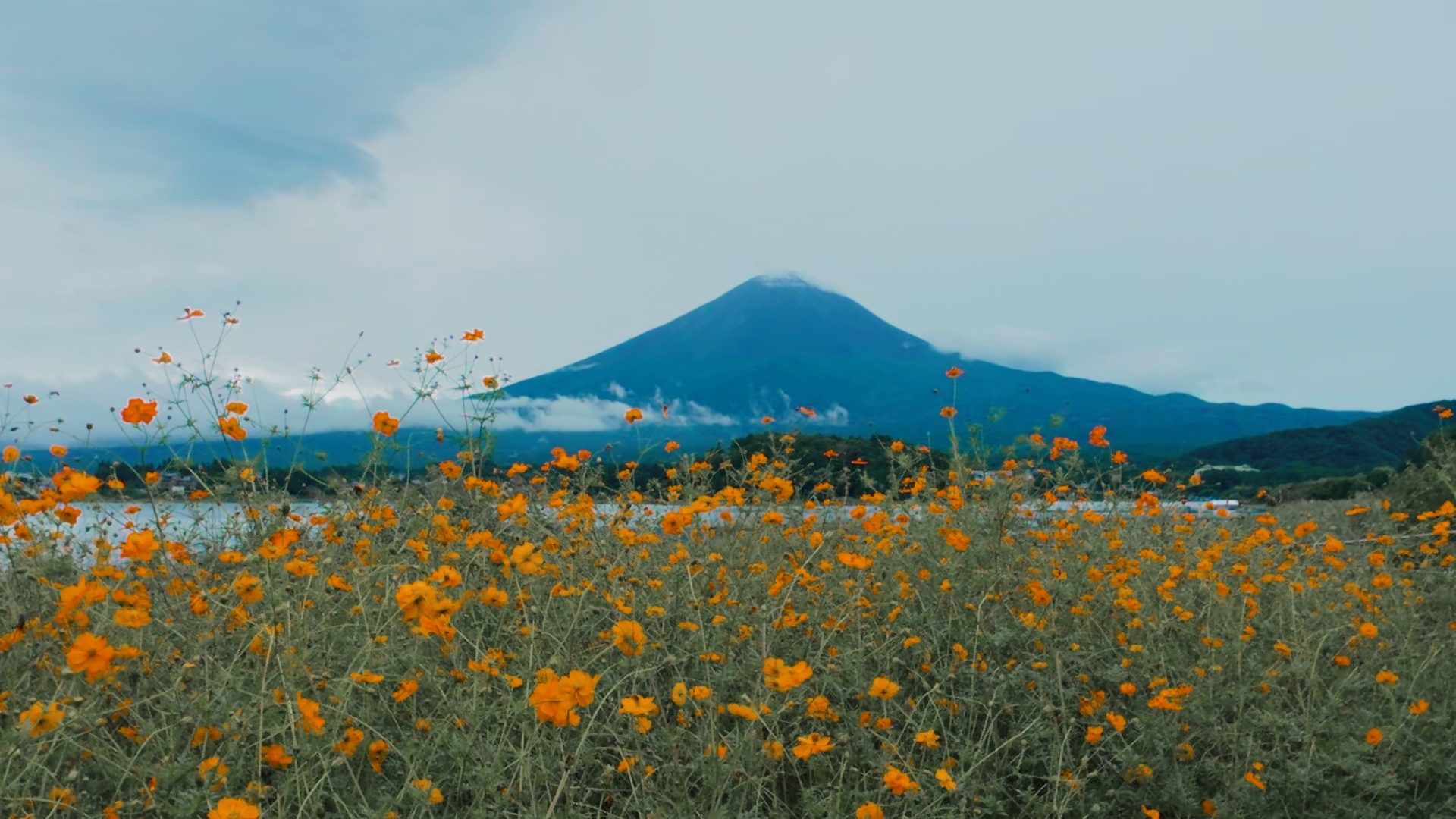
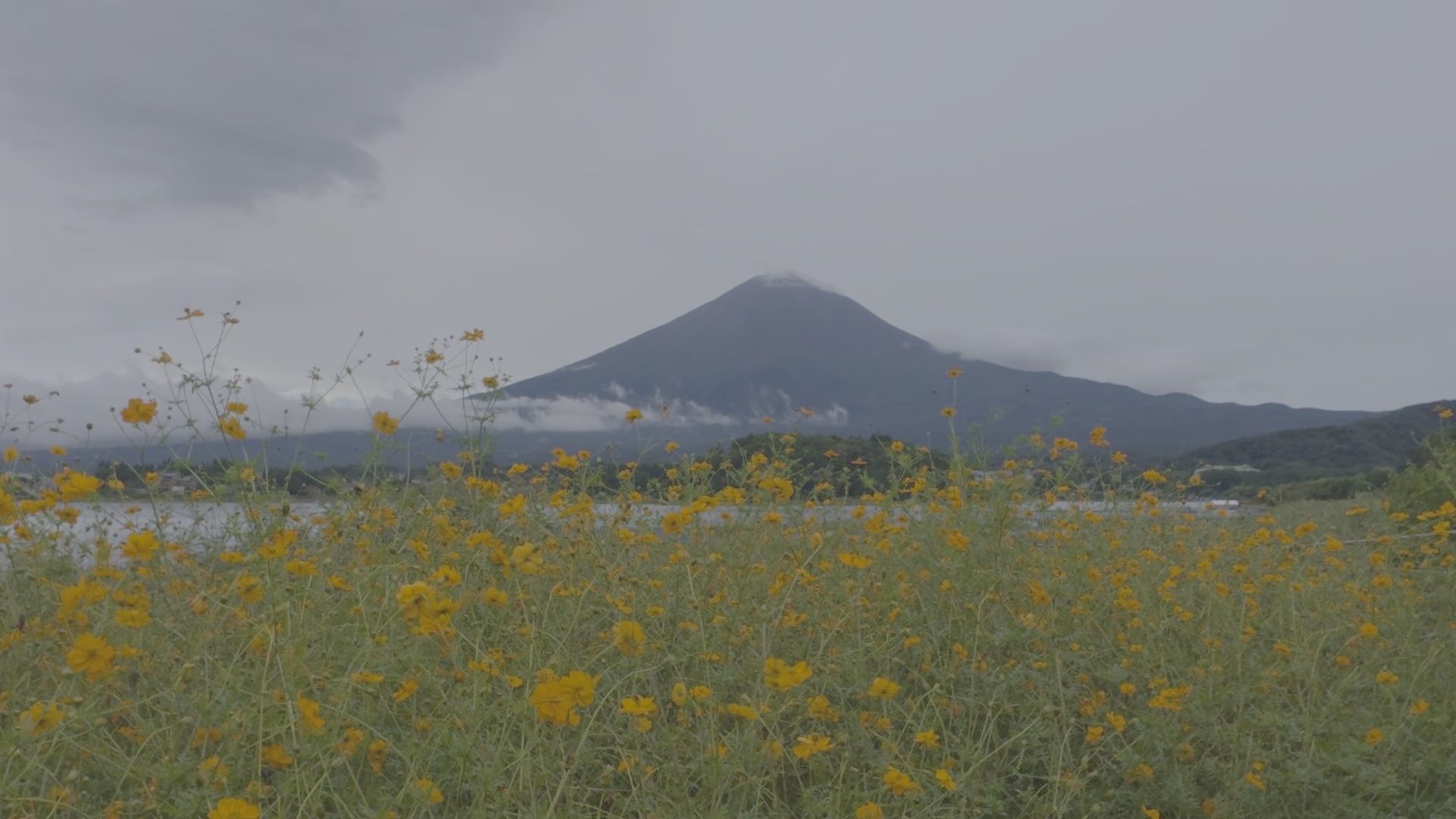
Drag to compare. One D-Log M frame, graded on iPhone.
What D-Log M is
D-Log M is DJI's log color mode for its compact cameras and drones, including Osmo Pocket 3 and Osmo Action 5 Pro. It records 10-bit video with a flat tone curve and a wide gamut, so highlights and colors have room to be shaped later.
DJI does not publish a formula for D-Log M. What it does publish, at dji.com/lut, are official D-Log M to Rec.709 LUTs, and different camera generations use different tables. Using the table that matches your camera is the cleanest way to get from log to normal-looking video.
Step 1: Get the original file onto your iPhone
Save the clip to Photos with the DJI Mimo app, a card reader, or AirDrop. What matters is that the file stays the original MP4:
- It keeps the 10-bit picture. An 8-bit re-encode loses most of the room log footage gives you.
- It keeps DJI's per-frame metadata track, which tells the app the color mode, camera, ISO, shutter and white balance.
Develop Log imports the original file from Photos, not a converted copy.
Step 2: Let the app recognize D-Log M
Tap New Project and choose the clip. Develop Log reads the color mode from DJI's metadata track and shows D-Log M in the info bar above the picture. If a file has lost its metadata, tap the format label and set it by hand.
Step 3: Restore with DJI's official LUT
The Natural look applies DJI's own D-Log M to Rec.709 LUT, chosen for your camera model from the metadata. This is your neutral starting point: the image as DJI intends it, before any creative look.
From there, pick one of the official film looks on the strip, or stay on Natural and grade it yourself.
Step 4: Set white balance in Kelvin
Osmo Pocket 3 records the white balance it shot with. Develop Log reads it, so the temperature control shows real Kelvin values starting from the as-shot temperature instead of an abstract slider. Correct it by eye, use the eyedropper on something that should be neutral, or tap auto. (DJI does not record tint, so tint starts at zero.)
Step 5: Grade under the look
Exposure, white balance, contrast, highlights and shadows, the color wheels and saturation are applied before the look, in linear light. A +1 stop exposure change behaves like opening up one stop on the camera: blacks stay black instead of turning gray, and highlights roll off softly into the look.
After the look come curves, then secondary grading (Pro): Color Range picks out skin, sky or foliage, HSL adjusts one color, and Portrait separates the person from the background. Texture (Pro) adds grain, halation, vignette, sharpening or noise reduction last.
Step 6: Export SDR, HDR or a Live Photo
Export HEVC 10-bit video to Photos:
- SDR (Rec.709) is the default for log footage. It looks the same everywhere you share it.
- HDR (HLG) uses the highlight range D-Log M recorded. It follows your SDR grade, with brighter midtones and highlights on HDR screens, so you do not grade twice.
- Live Photo saves any moment as a still with the matching video, graded.
Shooting metadata from the original is kept, and the exported file records the white balance of the graded picture.
Not sure what to do with a clip? AI Grade (Pro and Max) reads the scopes on your frame, then grades it step by step with the same sliders you would use. Describe a feel, or attach a reference image, and keep fine-tuning afterwards.
Quick answers
Can I just apply a downloaded “D-Log M LUT” in any video app?
You can, but you need to know which input it expects. Some are conversion LUTs (D-Log M in, Rec.709 out), others are creative looks that expect Rec.709 and must come after a conversion. See What is a LUT's input color space.
Is D-Log M the same as D-Log?
No. They are different curves and gamuts with different official LUTs. Develop Log supports D-Log M, D-Log and D-Log2 and picks the matching table.
What is free?
Restoring with the official LUT, primary grading (exposure, white balance, contrast, wheels, curves), the official film looks and 10-bit SDR / HDR export are free.